
DDownload Premium Review: Real Speed Tests & Verdict (2026)
I’ve tested Uploady, Katfile and Rapidgator, and the gap between sales claims and real-world performance is often significant. I therefore paid for a DDownload Premium account and tested the service using the same browser and download-manager workflow I would use myself.
Full disclosure: I paid for the Premium account myself. DDownload did not sponsor this review, and the company did not review or approve the results before publication.
The Free Experience: Slow and Highly Restricted
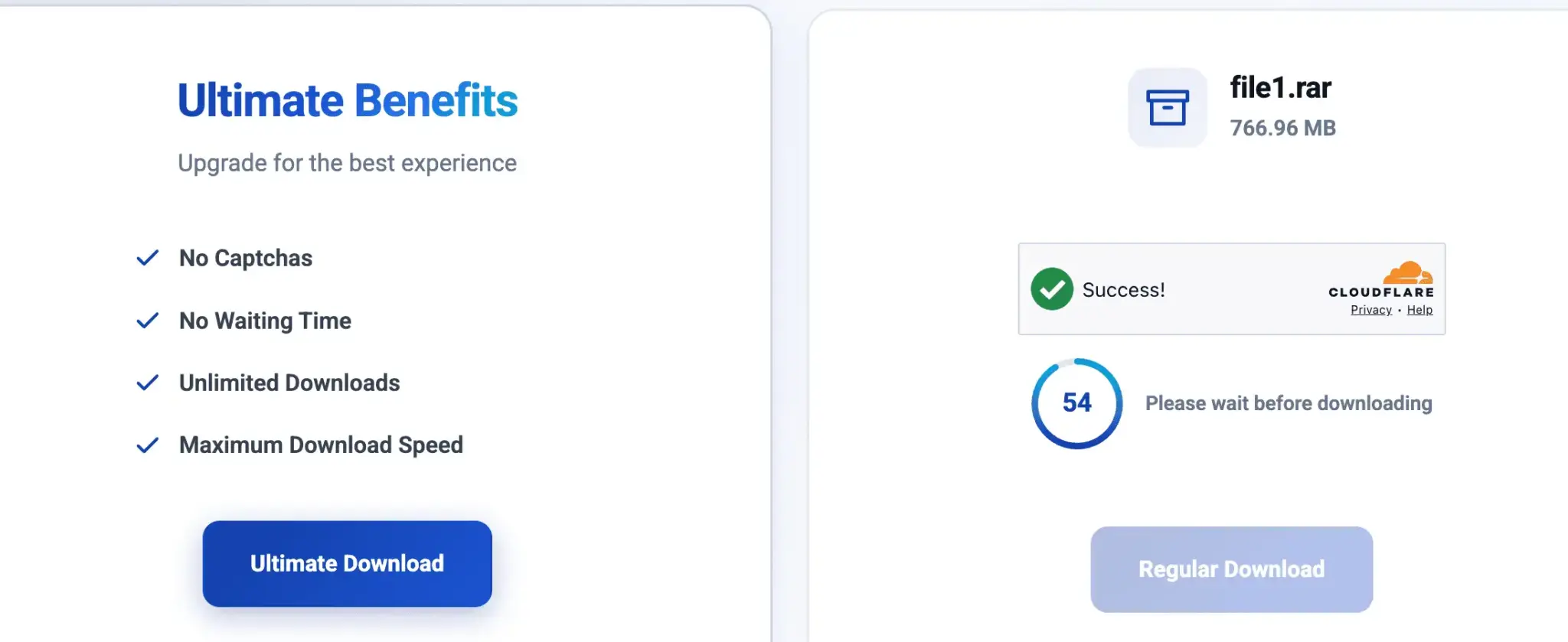
The free tier works, but it is built around waiting. In my test, the download flow showed a 54-second countdown and required Cloudflare verification. The 767 MB test file then downloaded at 96 KB/s, producing an estimated completion time of about two hours.
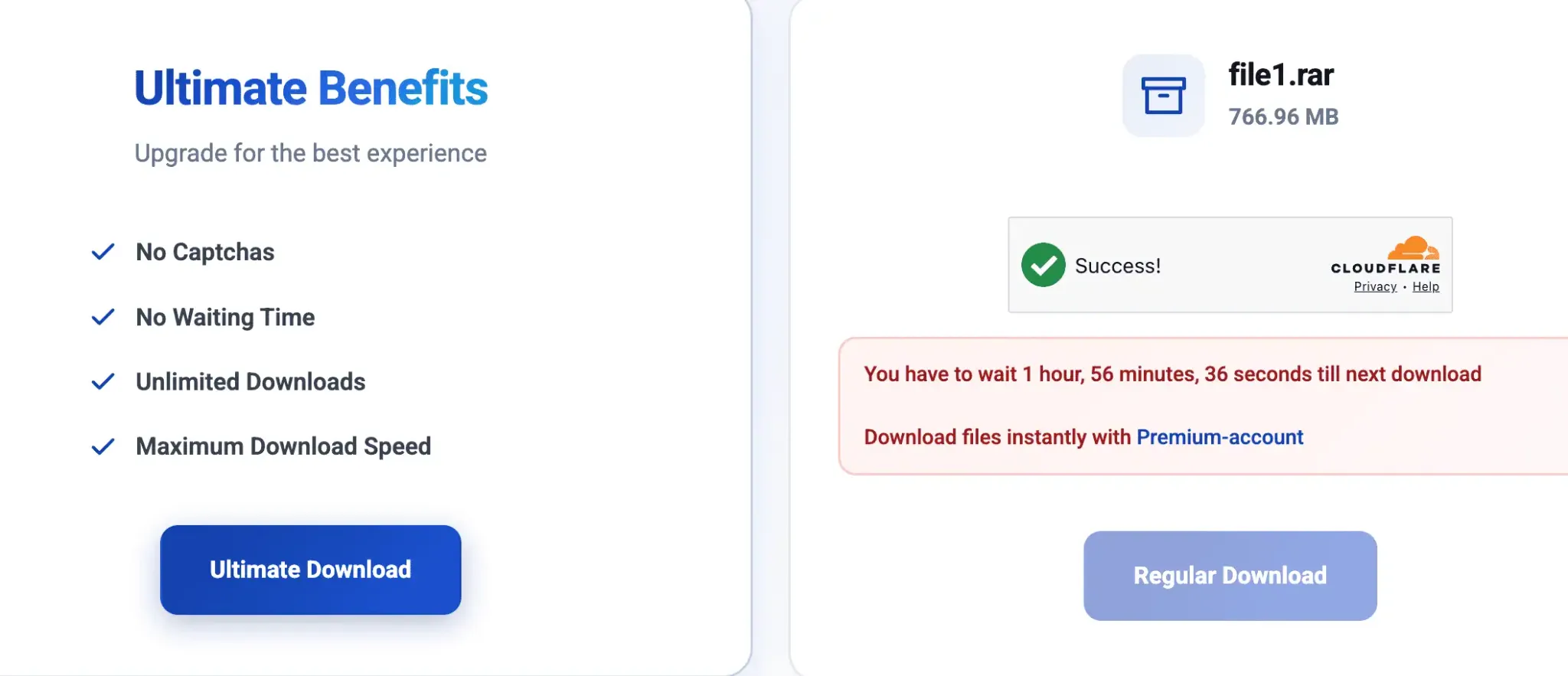
After that file, DDownload displayed another wait of 1 hour and 56 minutes before the next download could begin. That makes a multi-part archive impractical to complete quickly through the free tier.
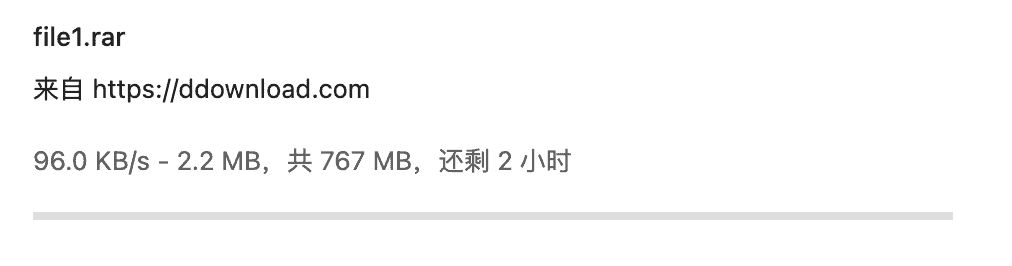
Free downloads are also less suitable for long queues and interrupted transfers. Resume behavior may be limited depending on the file and download session.
Start Downloading at Full SpeedPremium Account Speed Tests
Upgrading changes everything. The official page lists no captchas, no waiting, unlimited downloads, and maximum speed. Here’s what that looked like in practice. Test environment: 1 Gbps fiber, Google Chrome, August 2026.
Chrome: Single File Download
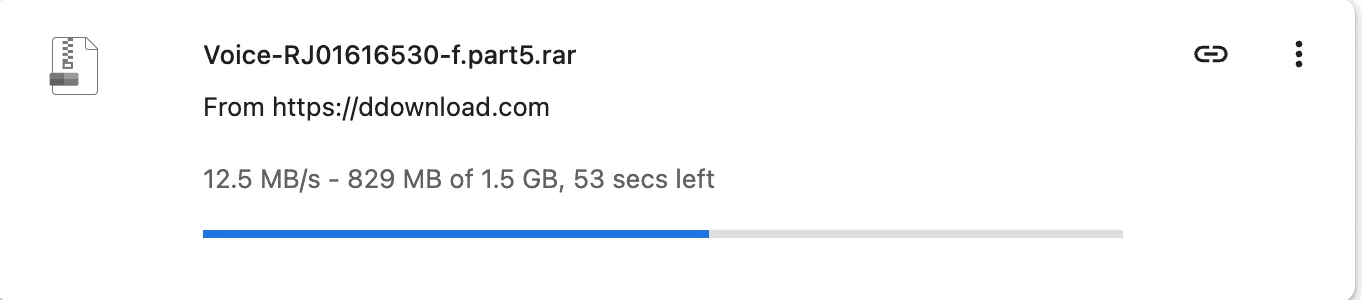
A 1.5 GB file downloaded at a steady 12.5 MB/s — no countdown, no captcha, no plugin. Started immediately and held that speed until done.
Chrome: Parallel Downloads
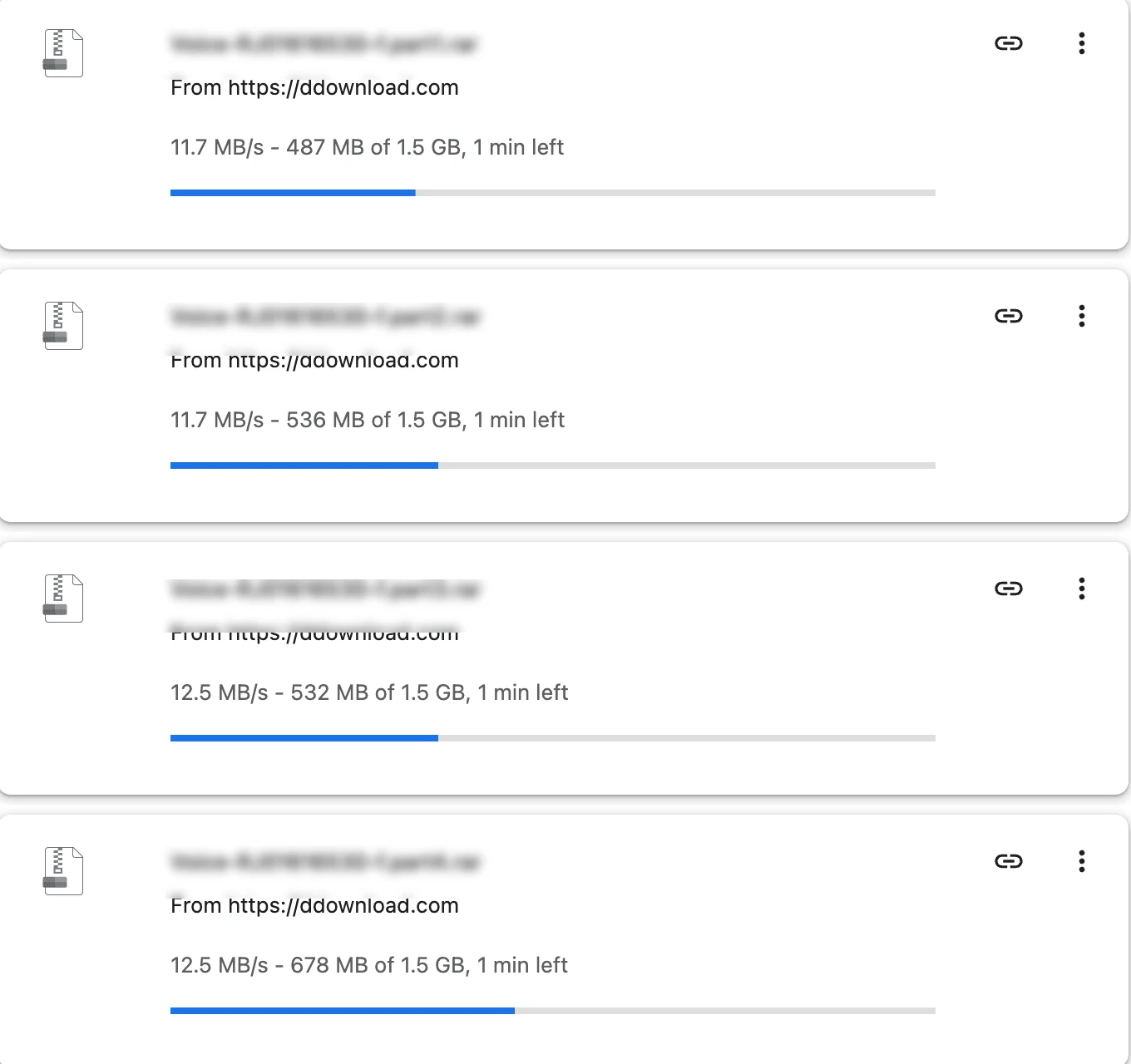
I started four downloads simultaneously. Each ran at 11.7–12.5 MB/s, for a combined speed of around 48 MB/s. DDownload split the bandwidth fairly instead of choking them all.
The JDownloader 2 Test
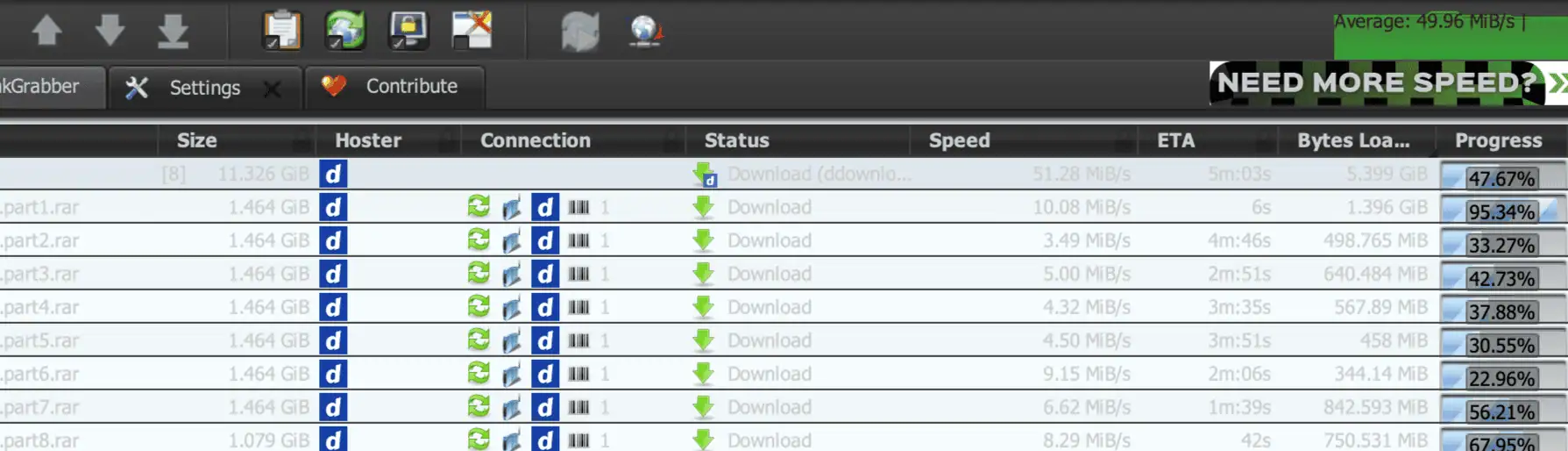
DDownload Premium worked with JDownloader 2 in my test. I loaded an 11.3 GiB split archive containing eight active parts and allowed the queue to run concurrently.
The average combined speed reached 49.96 MiB/s. Individual parts ranged from roughly 3.5 to 10 MiB/s as bandwidth shifted across the queue.
For context, the Premium single-file Chrome result was roughly 130 times faster than the 96 KB/s free test. The eight-part JDownloader queue reached more than 500 times the free single-file throughput in aggregate. These are two different test scenarios, so the JDownloader number should be read as total queue performance rather than per-file speed.
Turn this speed into a regular workflow: 12 months of Ultimate costs €39.99 in total.
Choose the Annual Plan →One honest caveat: I tested on a 1 Gbps fiber line. Your results depend on your ISP, routing, and how close you are to DDownload’s servers. On a slower connection, Premium still removes the waiting — but your speed ceiling will be lower.
Free vs Premium at a Glance
| Feature | Free Access | Premium / Ultimate |
|---|---|---|
| Download start | 54-second countdown | Immediate |
| Captcha checks | Before every file | None |
| Wait between files | About 2 hours | None |
| Download speed (my test) | 96 KB/s | 12.5 MB/s Chrome, 49.96 MiB/s JDownloader 2 |
| Daily traffic | Very limited in practice | Up to 200 GB per day on the current plan |
See the full Free vs Premium comparison →
Verdict: Is It Worth the Money?
For occasional small files, the free tier remains usable if you accept the waiting. For large files, split RAR archives and JDownloader queues, Premium is much easier to justify. In my tests, the single-file browser speed increased from 96 KB/s to 12.5 MB/s, while an eight-part JDownloader queue averaged 49.96 MiB/s in total.
Bottom line: DDownload Premium becomes the practical choice for regular or multi-file downloading. For ongoing use, the €39.99 annual plan is the strongest value at about €3.33 per month; reserve the €14.99 one-time option for a single short project.