
Independent Purchase & Usage Guide
DDownload Premium / Ultimate: Plans, Speed Tests & Guide
Download at 12.5 MB/s — or Keep Waiting at 96 KB/s
In my free-download test, DDownload ran at 96 KB/s, required a 54-second countdown and Cloudflare verification, then imposed a wait of nearly two hours before the next file. Premium removed those restrictions in my tests. See the measured speeds, current plan features, and whether the upgrade fits your workflow.
When Premium Saves the Most Time
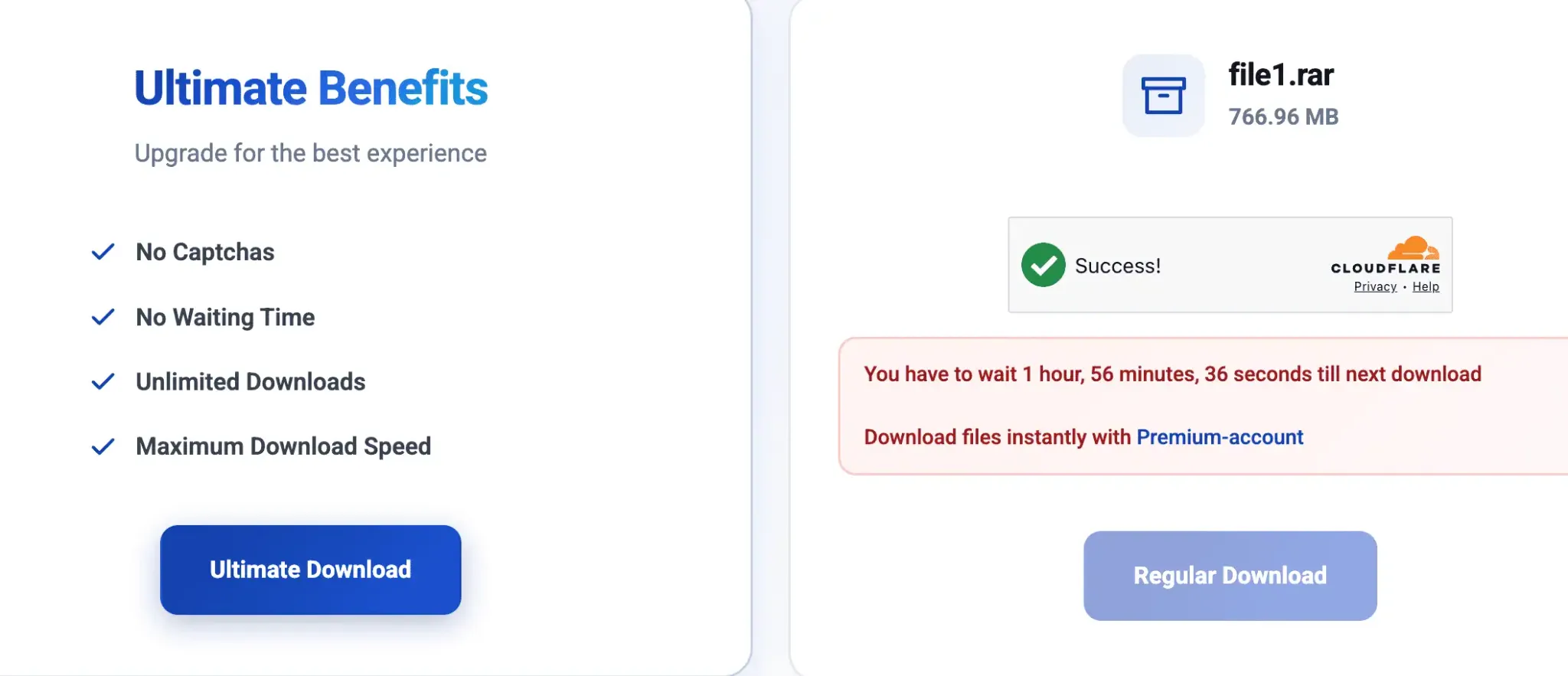
Free access trades money for time: every file brings waiting steps, captcha checks and a cooldown of nearly two hours before the next download. That becomes especially costly with split archives and longer queues.
DDownload Premium — now labeled Ultimate on the checkout page — becomes practical when you’re pulling large files, multi-part RAR archives, or longer JDownloader queues. You gain a smoother workflow, not a guaranteed fixed speed.
What Changes with DDownload Premium?
No Captchas
Ultimate users avoid the captcha step shown during our free-download tests.
No Waiting Time
No 54-second countdown. No two-hour cooldown between files. Start your next download immediately.
Parallel Downloads
Run several files at once in Chrome or queue them in JDownloader 2. My test ran four Chrome downloads simultaneously at 11.7–12.5 MB/s each.
Maximum Available Speed
Premium removes the strict free-tier throttle. Your actual speed still depends on routing, server load, and your connection.
DDownload calls the Ultimate plan “Unlimited Downloads.” In practice you’re subject to a daily traffic cap — currently 200 GB per day.
Real DDownload Speed Tests
All tests by Changbin Ge on a 1 Gbps fiber connection, using Google Chrome and JDownloader 2, August 2026.
Free Download
96 KB/s
A 767 MB file would take about two hours at this speed.
Premium Single File
12.5 MB/s
Measured during a direct Chrome download.
Premium Parallel Downloads
Around 48 MB/s combined
Four Chrome downloads ran at 11.7–12.5 MB/s each.
JDownloader 2 Queue
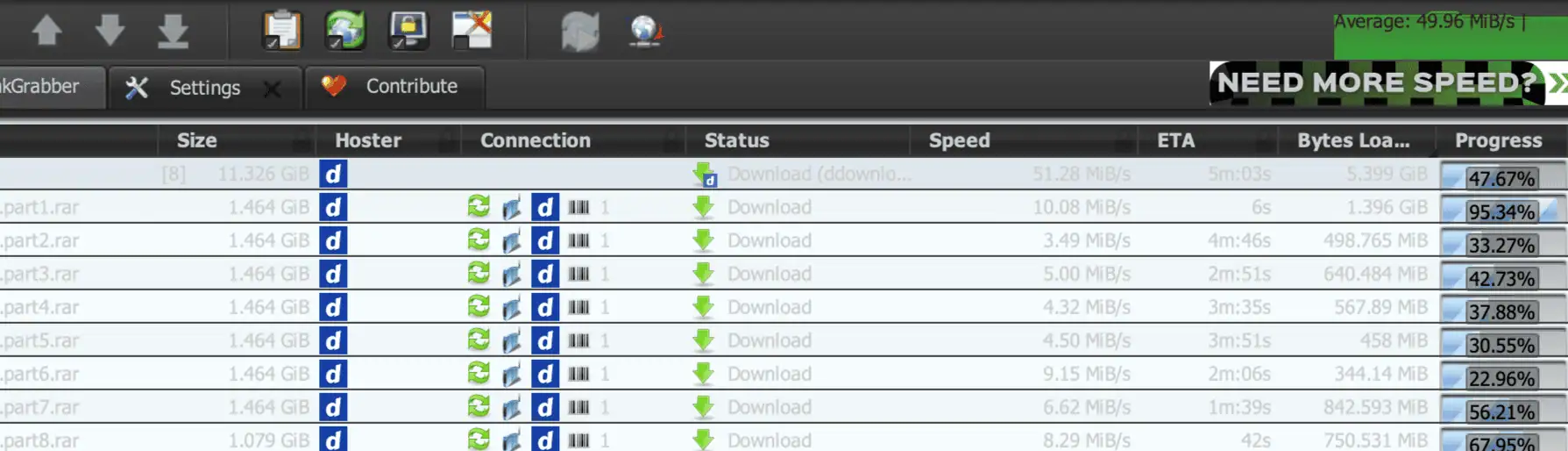
49.96 MiB/s
Average across eight active parts in an 11.3 GiB queue.
Skip the two-hour cooldown: the 12-month Ultimate plan costs €39.99 in total, or about €3.33 per month.
Get 12 Months of Ultimate →These results describe my test session and aren’t guaranteed speeds. ISP routing, location, and server load all matter. View the complete speed tests and screenshots →
Choose Your Premium Plan
The current 12-month Ultimate plan is €39.99 in total—about €3.33 per month. It costs about the same as four €9.99 monthly subscription payments and less than three €14.99 one-time purchases.
Short-Term Choice
30 Days
€14.99 one-time
Best when you only need DDownload for one short project and do not want automatic renewal.
Best Value
12 Months
€39.99 total · €3.33/month
About €0.11 per day to skip waiting timers and cooldowns all year.
The practical default for regular downloads: one payment covers a full year at the lowest effective monthly cost.
See the full price and renewal comparison →
Free vs Premium at a Glance
| Feature | Free Access | Premium / Ultimate |
|---|---|---|
| Download start | 54-second countdown | Direct download option |
| Captcha checks | Before every file | None |
| Wait between files | About 2 hours | None |
| Simultaneous downloads | Restricted | Parallel downloads supported |
| Daily traffic | Very limited in practice | Up to 200 GB per day on the current plan |
See the full Free vs Premium comparison →
Who Is DDownload Premium For?
Large Files
Better suited to users who regularly download multi-gigabyte files and want fewer manual steps.
Split RAR Archives
More practical for pulling every part of a multi-file archive without managing each link by hand.
JDownloader Queues
Useful for organizing multiple links and letting supported queues run with less manual intervention.
Popular DDownload Guides
- DDownload Slow? — routing, connection settings and common bottlenecks
- Daily Download Limit — how the 200 GB daily allowance works
- DDownload with JDownloader — account setup and queues
- VPN and Routing Tests — when a different route helps
Get a Full Year at the Lowest Monthly Cost
Choose the €39.99 annual Ultimate plan if DDownload links are part of your regular download workflow.
Get 12 Months of Ultimate →