
My Real DDownload Premium Speeds: Chrome vs JDownloader
I originally published this page as a short personal speed note. I have now replaced it with the newer August 2026 benchmark set so the numbers match the tests used across this site.
Test setup: 1 Gbps fiber connection, Google Chrome and JDownloader 2, tested in August 2026. These results describe my connection and are not a guaranteed speed for every ISP or region.
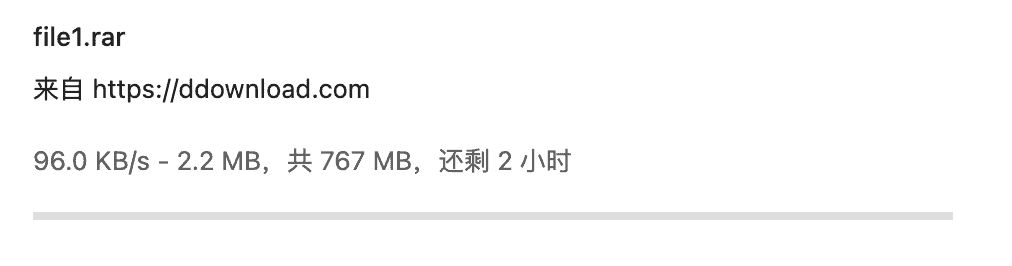
Free-download baseline: 96 KB/s
Before testing the paid account, I downloaded a 767 MB file through the free flow. The transfer ran at 96 KB/s, with an estimated completion time of roughly two hours. The free flow also showed a countdown and Cloudflare verification.
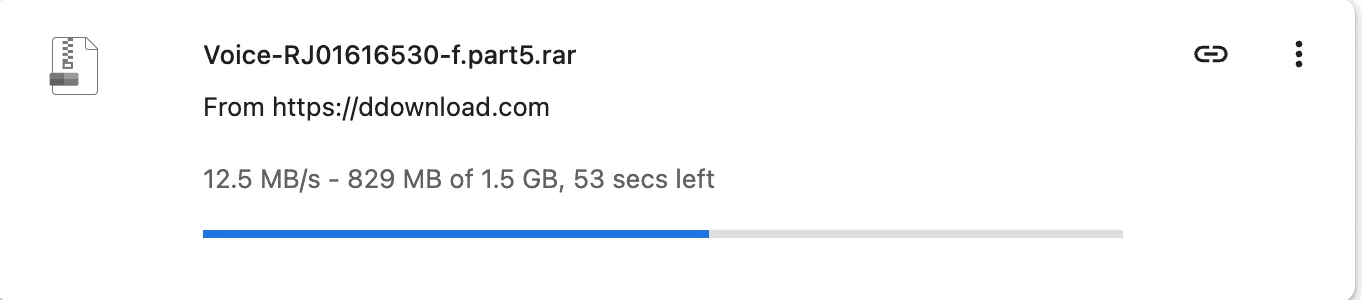
Premium in Chrome: 12.5 MB/s on one file
With the paid account active, a single Chrome download reached about 12.5 MB/s. That is roughly 130 times the throughput of the 96 KB/s free test, although the two results are still specific to this test environment.
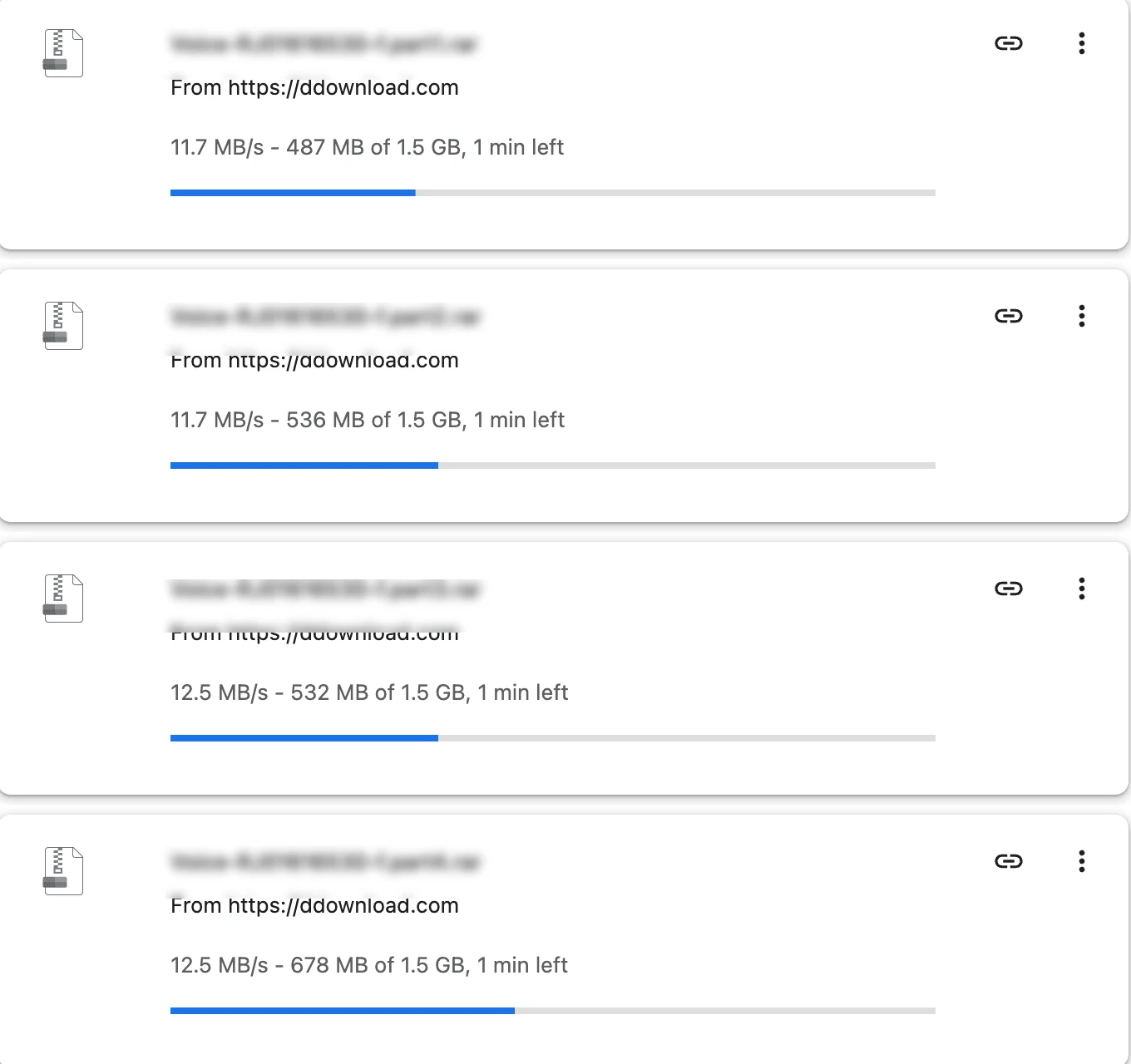
Four parallel Chrome downloads: about 48 MB/s total
I then started four browser downloads at the same time. Individual files ran at approximately 11.7–12.5 MB/s each, for a combined throughput around 48 MB/s during the captured test.
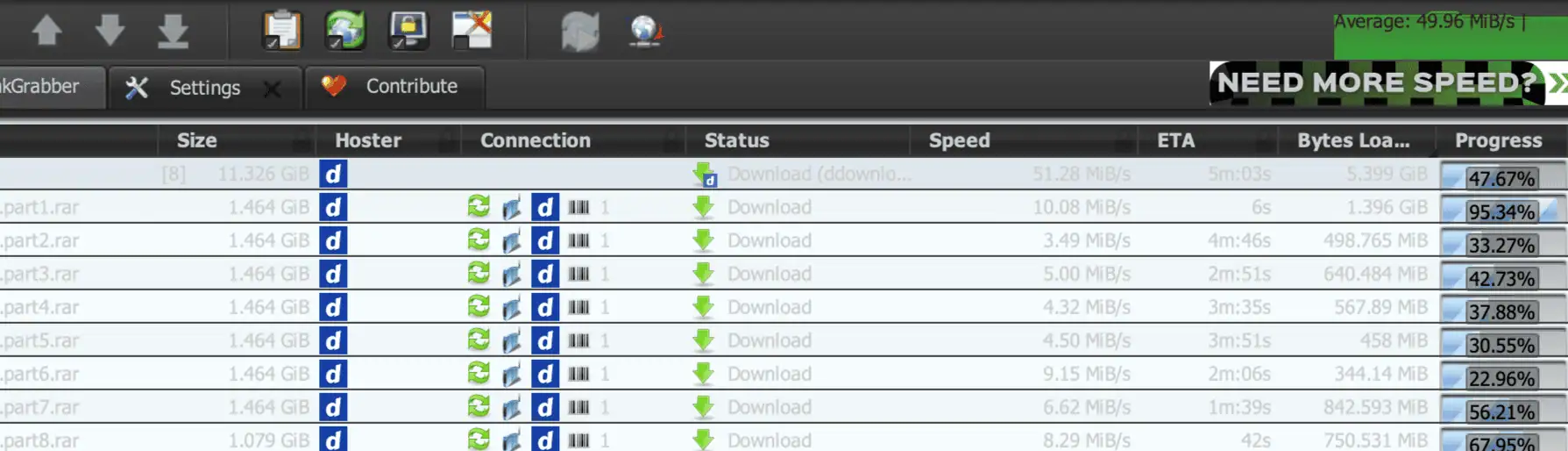
JDownloader 2: 49.96 MiB/s average across eight parts
The strongest result came from an 11.3 GiB JDownloader 2 queue with eight active parts. JDownloader reported an average total speed of 49.96 MiB/s. This is aggregate queue performance, not the speed of a single file.
What these numbers actually mean
The useful conclusion is not that every Premium user will see exactly 12.5 MB/s or 49.96 MiB/s. The important difference is that the paid account removed the severe restriction seen in my free test and allowed multiple concurrent transfers. ISP routing, server load, location and local network conditions can still change the final speed.
For the complete test sequence, screenshots and purchase verdict, see the DDownload Premium review.